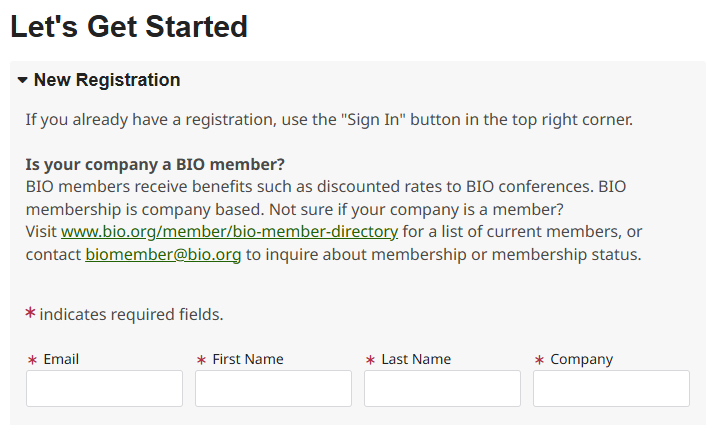
Fill in your email, name, and company to lookup your information in BIO's member database.
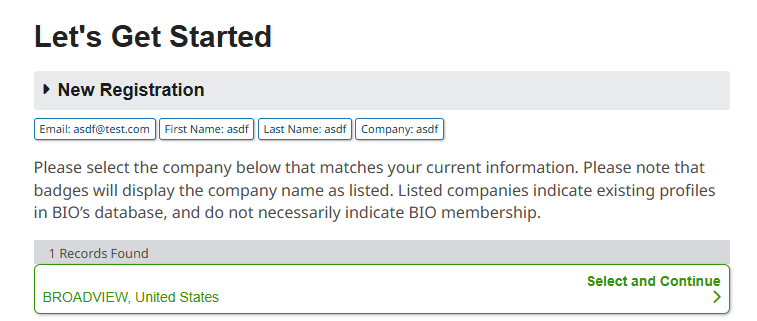
Click on the green box that corresponds to your company.
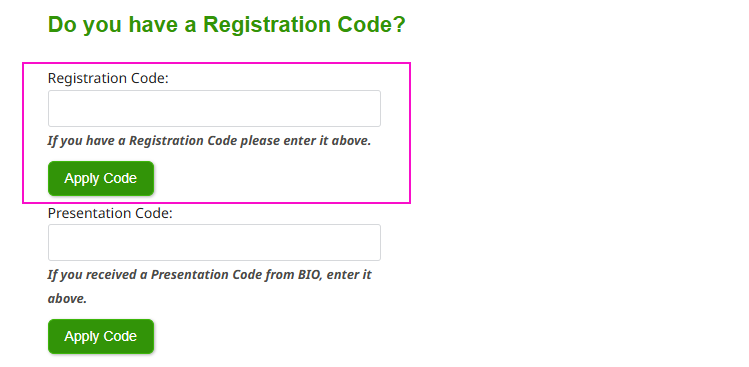
On the next page, after you fill in / review your contact information, you will see this section:
Enter your Registration Code in the box and click the Apply Code button. Your Registration Code can be found in your email invitation.
Review your information on the “Review and Check Out” page; and select “Next” in order to finish completing the registration.
An email confirmation will be sent automatically upon completion. Please check your email filters if you do not receive it.
Contact the registration team at
customercare@bio.org or call (202) 962-6655 if you have questions about the registration process or experience problems when registering.
)
)
)
)
)

)
)
)
)
)
)
)
)